 TieTie
Screenshot taken. Fix it here.
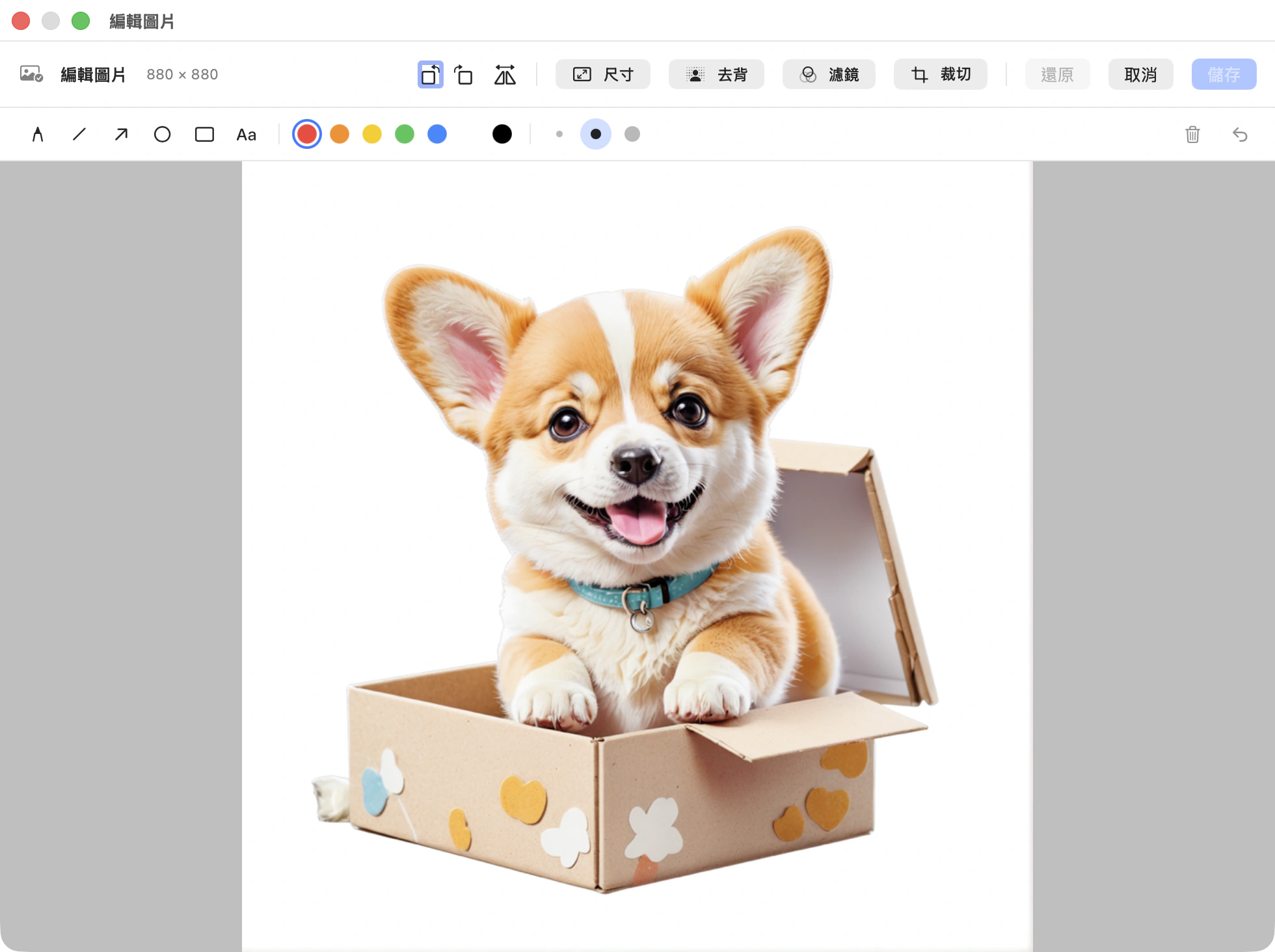
TieTie is a clipboard manager for macOS, and the image editor lives inside it. Cropping the edge off a screenshot, drawing one arrow on it. That isn’t worth opening a dedicated app for, so there’s a full set of tools right here and you save it back when you’re done.
What you’d do on your phone, you can do here.
Built to follow the same logic as editing photos on an iPhone, so you already know how to use it.
Crop
Drag the corner handles, with rule-of-thirds guides to help you frame it. Fixed ratios if you need a square.
Rotate and flip
90 degrees at a time, plus horizontal and vertical flips. A sideways screenshot takes two clicks to fix.
Resize
Type in the numbers, or hit 50% or 75%. The aspect ratio is locked so nothing gets squashed.
Eight filters
Mono, vivid, vintage, cool, warm and a few more. One click to apply, one click to go back to the original.
Markup
Pen, line, arrow, rectangle, ellipse and text. 7 colors, 3 line widths, and undo. Anything you’ve drawn can be selected again and changed.
Remove background
One tap and it knows who the subject is, then lifts everything else away. It all runs on your Mac, so the image never leaves.
Four details we refused to compromise on.
It edits the original, not the thumbnail
What you see in the panel is a thumbnail, but the editor opens the full-resolution file. Crop it, save it, and the quality matches what you copied in. Nothing degrades because you edited it once.
After saving, the thumbnail, the dominant color and the OCR text all get recalculated, so the edited image is still searchable.
It backs out one layer at a time
There’s a lot of state in an editor: a color popover is open, you’re typing, you’re mid-crop, you have an annotation selected. Each Esc undoes one of those. It never closes the whole editor out from under you.
Only when everything’s backed out does it ask whether to save. One stray keypress won’t cost you the work.
Your originals stay untouched
An image card you copied from Finder points at a file on your disk, and that file isn’t TieTie’s. So pressing ⌘E on it asks first: do you want a copy inside TieTie to work on?
Say yes and it duplicates the image and edits the duplicate. The file on your disk doesn’t change by a single byte.
It saves what you didn’t
You’re halfway through marking up a screenshot and the Mac needs to restart. You didn’t hit save, you didn’t close the editor, and off it goes.
Come back, open that image, and the mark you drew is still there.
TieTie won’t hold your restart hostage, because that’s a horrible thing to do to someone. It writes your unsaved work out in the moment it gets shut down.
Background gone in one click.
Vision finds the subject and cuts everything else away. The white backdrop in the shot below is already gone, and that gray checkerboard is the transparency. Save it and you have a PNG with an alpha channel.
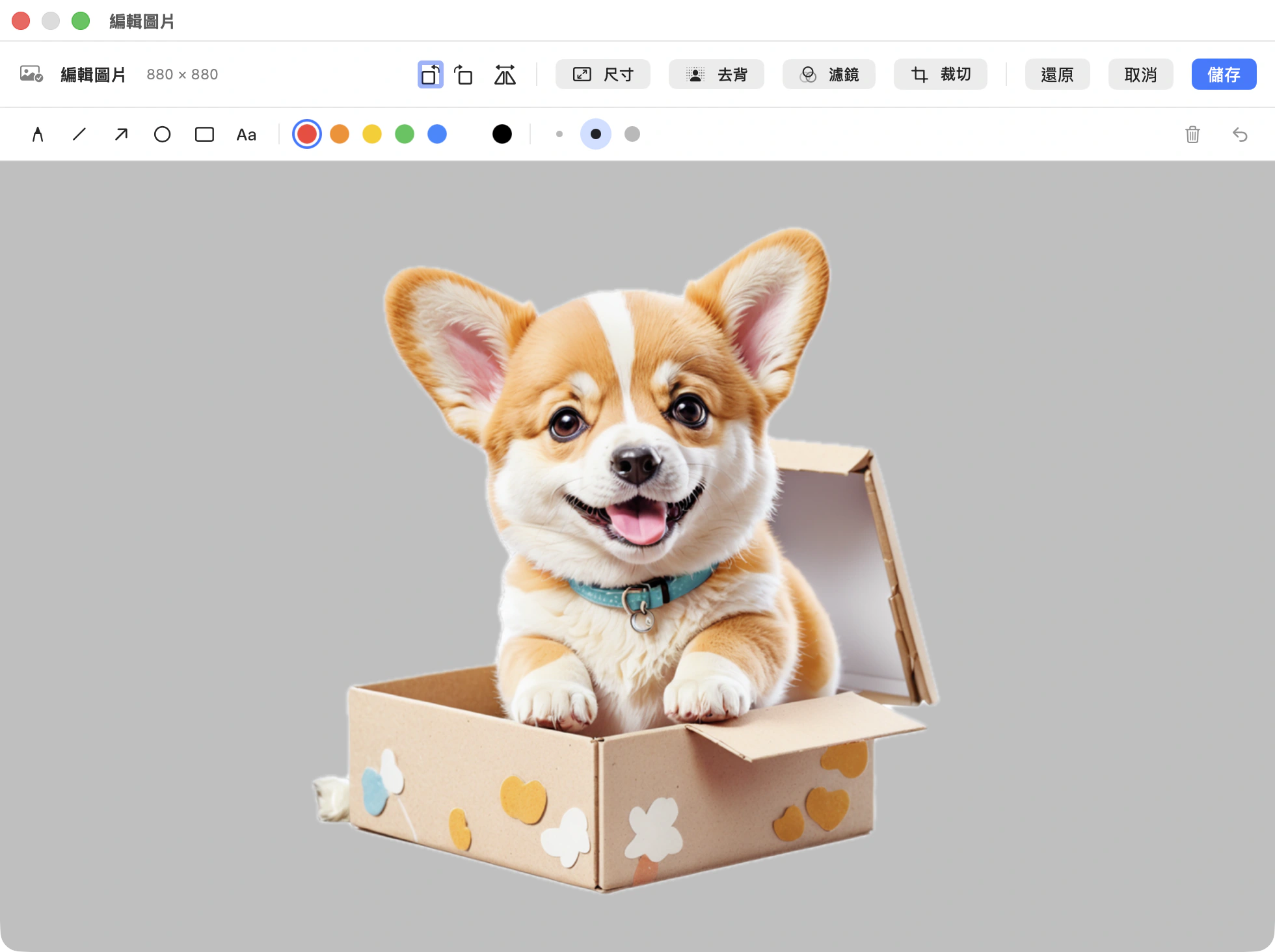
It all runs on your Mac, so the image never leaves this computer.
And if that’s all you wanted, it’s in the right-click menu too.
Next screenshot, try not opening another app.
TieTie 1.0 · macOS 15 and up · native on Apple Silicon